 Matoaka
 Harness — private AI that arrives ready to work
A local-first AI harness delivered as a bundle with NVIDIA GB10 or GB300 hardware, sized to how many people use it: one-click setup, a simple desktop interface for non-technical staff, and no data leaving the building.
- Delivered as
- Hardware + harness bundle
- The brain
- NVIDIA GB10 or GB300, sized by usage
- Models
- Local first · OpenRouter · ChatGPT · Claude
- Privacy
- Runs on the client's own hardware
The problem
Capable AI agents exist, but getting one to work is a project of its own. Frameworks like Hermes are powerful, yet they expect you to learn their concepts, edit configuration files and keep everything running yourself. Most people and most organisations just want the assistant to work. Many also can't send their documents to someone else's cloud.
Matoaka Harness closes that gap. It's an AI harness that installs in one click, sets itself up, and runs first on hardware the client owns.
Who it's built for
- People who don't want to become AI engineers. No agent framework to study, no YAML to edit. Install, choose where the assistant thinks, and start asking.
- Institutions with non-technical staff. Employees work through a plain desktop window, in their own language, while IT keeps the models, the data and the hardware in-house.
The infrastructure we build
Matoaka doesn't sell the harness as a box of software. We deliver it as a bundle with the hardware it runs on, sized to how many people will use it. Every setup has the same three layers:
- The brain: NVIDIA GB10 or GB300. The models run here, on the client's own hardware.
- Headless Matoaka: the inference layer. A headless instance of Matoaka sits on top of the hardware. It serves the models, routes the work and runs the agents, so one owner can run a swarm of AI agents on real hardware they own.
- Matoaka Harness UI: where people work. Every user gets the desktop app. It connects to the headless layer, so adding people means adding seats, not rebuilding the system.
For teams: NVIDIA GB10
A GB10 (DGX Spark) sits on a shelf in the office. One unit serves about 8 concurrent users running Qwen3.8 27B. The exact number depends on which model it runs. Need more seats? GB10 units stack: add a unit, add another team.
For organisations: NVIDIA GB300
When many people use it, the brain moves to rack-scale GB300 servers. Headless Matoaka runs a large agent swarm on top, and every desk on every floor works through the same Matoaka Harness UI.
Remote Matoaka: one owner, an agent on every computer
The owner doesn't have to sit at every desk. From their own Matoaka Harness UI they remote into every computer on the network and give each one a job: a marketing agent on one PC, a content creator agent on another, an analysis agent on a third. Each computer keeps working on its own, and every agent thinks on the same brain, GB10 or GB300, inside the building. One owner, a whole team of AI agents, on real hardware they own.
No prompts, files or customer data leave the building. The models, the memory and the logs live on the client's own machines.
What it does
Local AI first
The harness thinks with models running on the client's own hardware by default. When a task really needs a frontier model, the owner can switch it on deliberately. Nothing goes out unless they choose it.
Use the subscriptions you already pay for
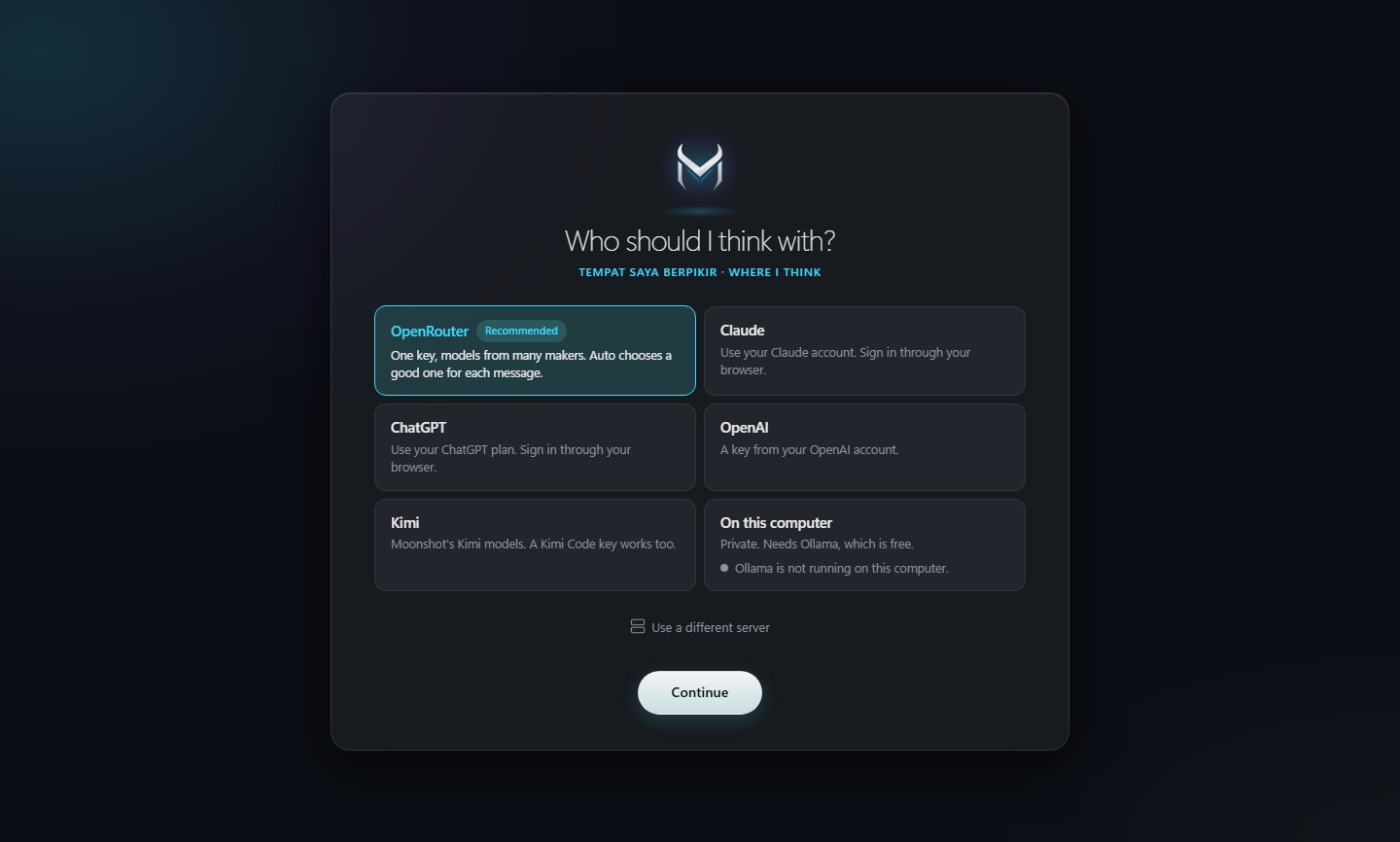
Besides local models, the harness connects to OpenRouter, a ChatGPT plan or a Claude account by signing in through the browser. No API plumbing needed.
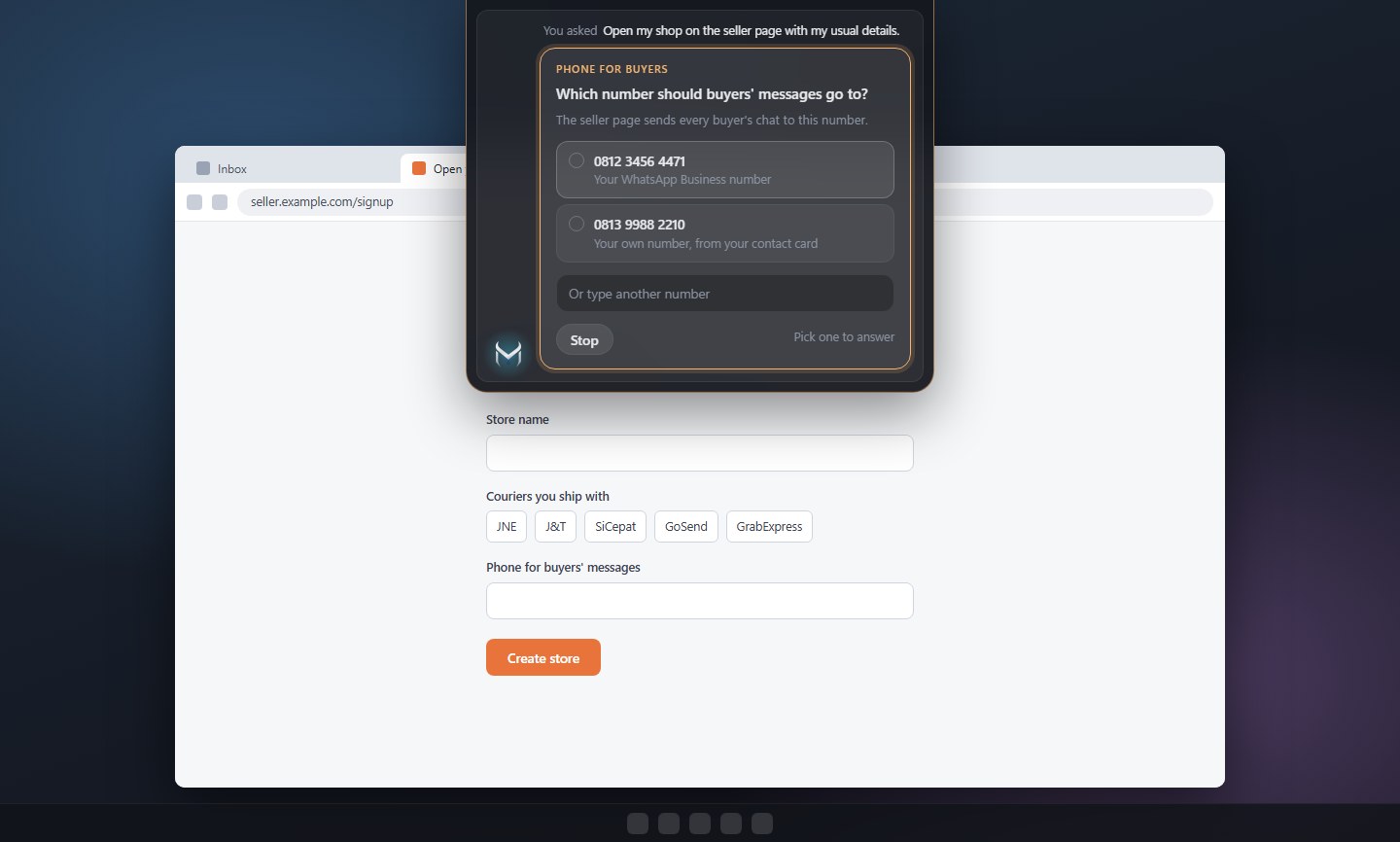
It works the computer, and asks before it acts
The assistant can drive apps and the browser for the user: filling forms, reading documents, preparing drafts. Anything that sends, pays or can't be undone becomes a plain question the user answers with one tap.
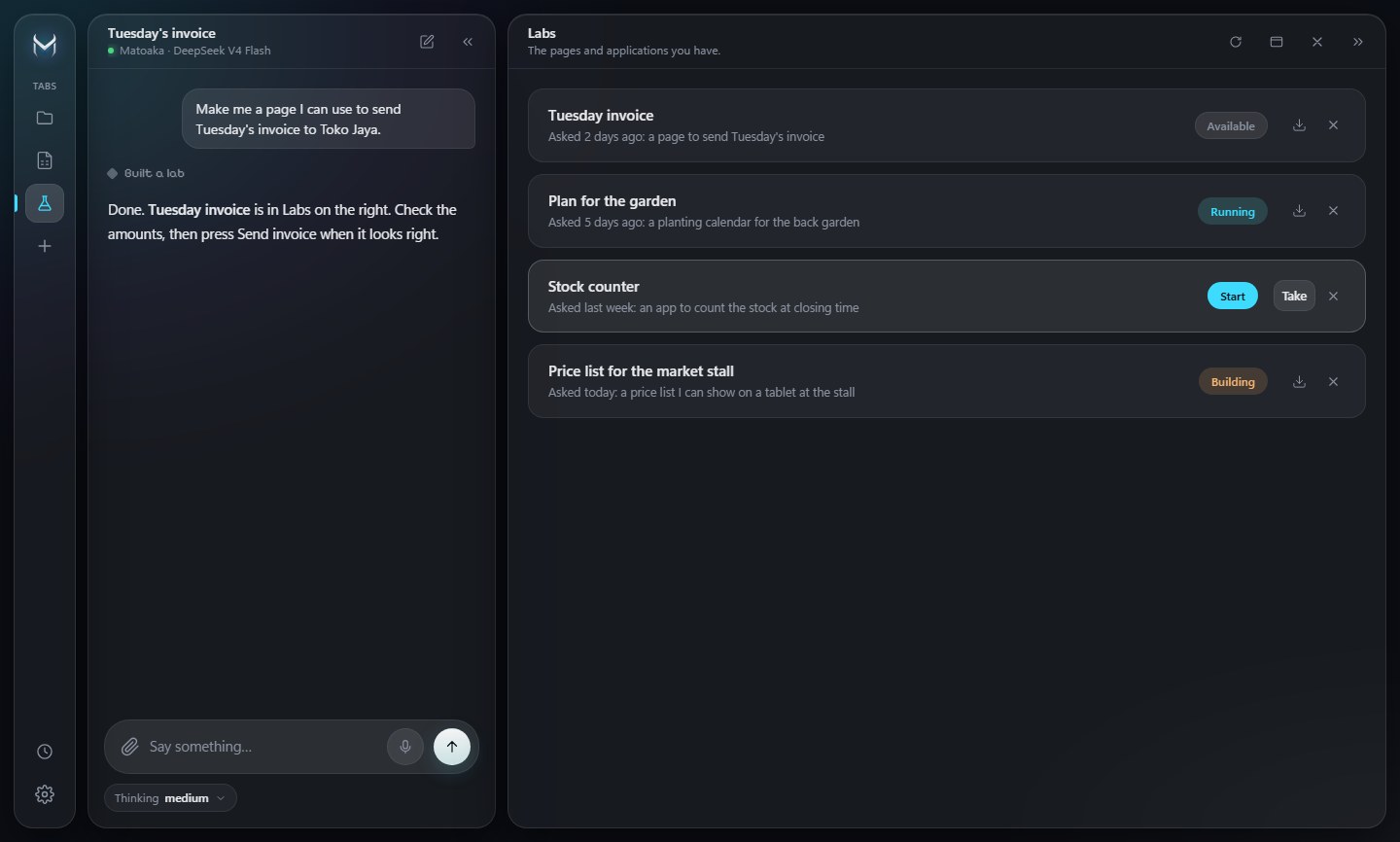
Labs: small apps built on request
Ask for a tool, such as an invoice page, a stock counter or a price list, and the assistant builds it as a Lab the user can open, run and keep.
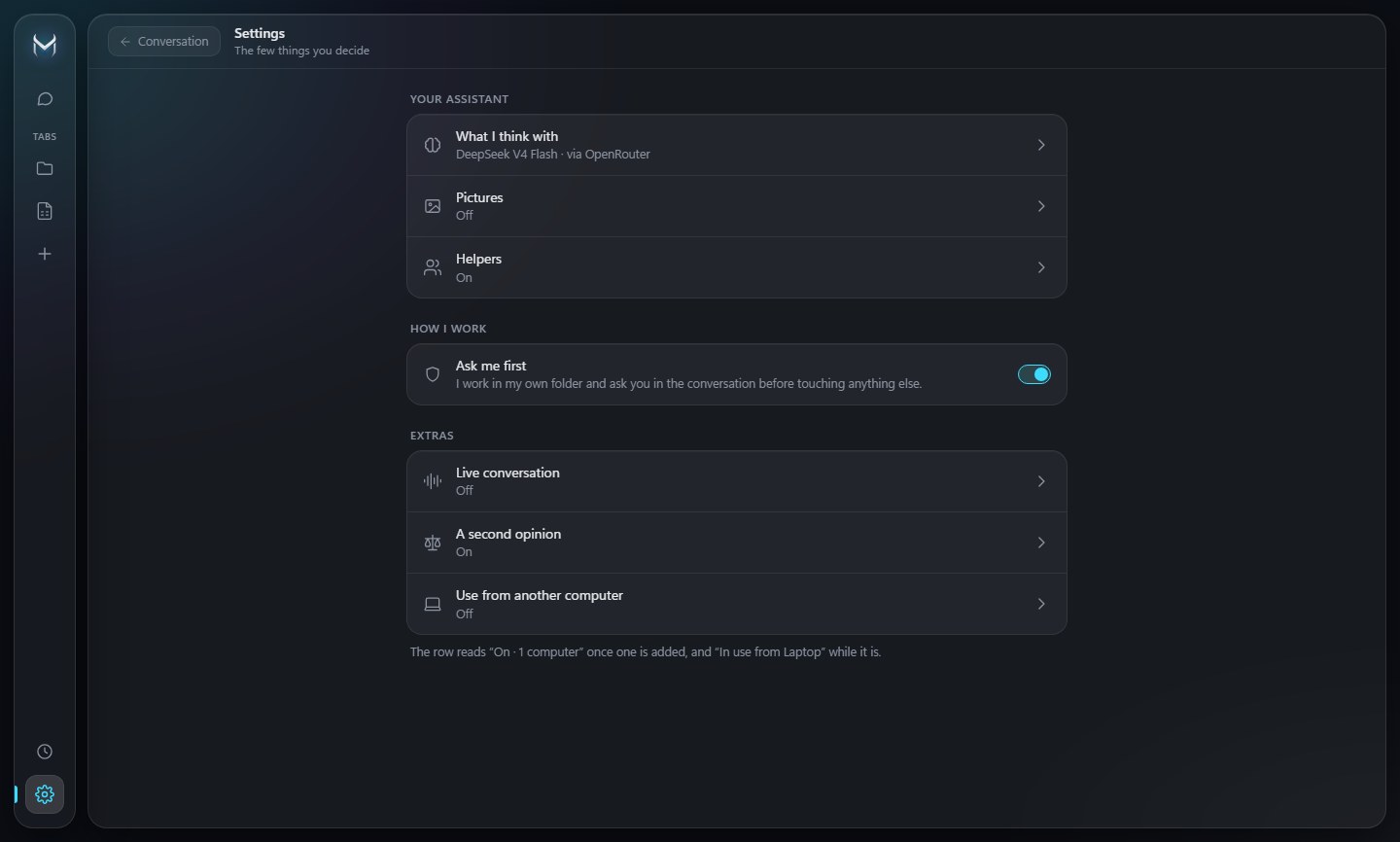
Simple controls for the person in charge
Plugins and custom integrations
Every capability is a plugin, installed from a store with one click: shared memory, document readers, messaging bridges, picture and video makers, and more.
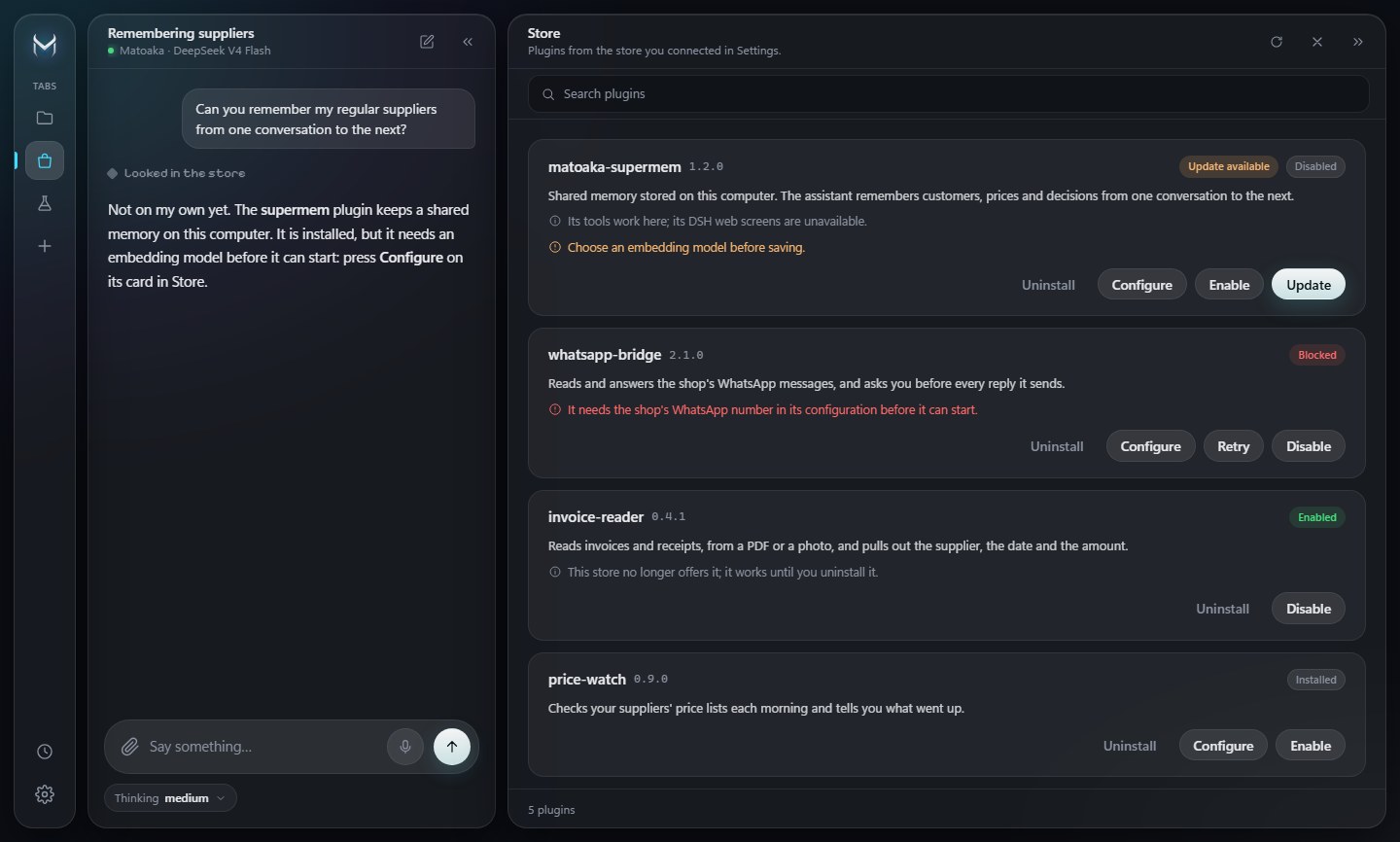
For institutions, we build custom plugins that connect the harness to their internal systems, such as the ERP, the document archive or the ticketing desk. The plugins don't replace those systems. They put an assistant in front of them, so staff get the work done in a fraction of the steps and roughly double what they get through in a day.
Delivery options
| Setup | Hardware | Fits |
|---|---|---|
| Team | NVIDIA GB10 (DGX Spark), stackable | About 8 concurrent users per unit with Qwen3.8 27B, depending on the model |
| Organisation | NVIDIA GB300 | Many users across floors, departments and branches |
| Custom | Designed with the client | Existing server rooms, mixed fleets, special requirements |
Every option ships with the harness installed, the models loaded and the integrations wired in. The client switches it on and starts working.
Download mobile
Control your Matoaka from your phone. Install the Android app and remote into your Matoaka Harness from anywhere on your network.

Your project
Planning something like this?
Tell us what you need to measure and control. We will come back with a plan for the hardware, the network and the software.